EN
 IT
The full zone system most tutorials teach
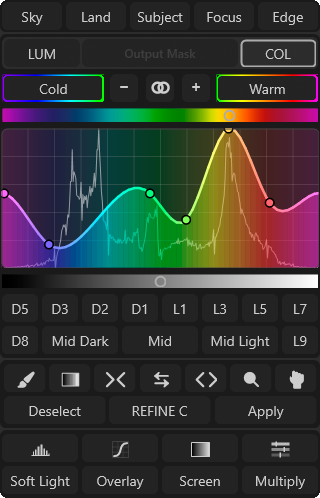
The classic approach builds a cascading set: Lights isolates the brightest half of the tonal range, Lights-2 re-selects the brightest half of that selection again, Lights-3 narrows it further, and the same happens in the other direction for Darks, Darks-2, Darks-3. Add a Midtones mask and that's seven separate grayscale masks, each one a real, saved selection, before you've touched a single adjustment layer.
Why "build them all just in case" is the wrong default
Two costs stack up here. The first is time: building and refining seven masks takes real minutes you may not get back, especially if half of them never make it into the final edit. The second is decision fatigue: once you have seven masks sitting in the Channels panel, every adjustment now comes with an extra question, "which of these seven do I clip this to," instead of you just making the edit.
What most real edits actually use
In practice, the large majority of edits only ever need two: a base Lights mask and its inverse, Darks (select the Lights mask thumbnail and press Ctrl/Cmd+I to get Darks for free, no rebuilding required). Most corrections are broad strokes, brighten the sky, deepen the shadows, and a single base mask with a reasonably feathered transition handles that without needing a narrower zone at all.
The actual signal for when you need a narrower zone
Don't build Lights-2 speculatively. Build your base Lights mask first, apply the adjustment, and look at the result. If the effect is bleeding into tones you meant to protect, an adjustment aimed at a bright sky is also visibly touching a mid-toned building facade, that overreach is your actual signal to go narrower. Select the Lights mask thumbnail, load it as a selection, and build Lights-2 from within that selection to isolate a tighter, brighter slice. You're solving a problem you can actually see, not guessing at one that might show up later.
The one real exception: midtones
A true midtone mask isn't just "Lights minus Darks" done casually, it usually needs its own dedicated construction (typically inverting and combining the Lights and Darks selections, or building it directly from a mid-range Levels adjustment on the composite selection) to land cleanly on the middle of the tonal range without a heavy bias toward one side. Midtone-specific work, mostly local contrast and dodge-and-burn, comes up less often than highlight or shadow correction, which makes the "only build it when you actually need it" rule apply even more strongly here.
A simple decision rule
Start with two masks: Lights and its inverse, Darks. Only add a narrower zone when the broad mask visibly overreaches into tones you wanted to protect. Stop building as soon as the mask you have does the job. That's it, no seven-mask starter kit required.
Quick answers to a few related questions
Do unused masks actually slow Photoshop down?
Not meaningfully by themselves, but each one saved as a channel adds real file size, and stacking many unused masked adjustment layers does add up as a document grows, especially on large files.
Is there ever a good reason to build the full set upfront?
Yes, if you already know from experience that a particular session will need several stacked, narrow adjustments and you'd rather not interrupt your flow later to build them one at a time. That's a workflow-speed tradeoff you're choosing deliberately, not something to default to on every image.