EN
 IT
It usually starts before you even convert
White balance still affects tonal separation in the RAW file even though the final image will have no color at all. A file shot overly cool or overly warm compresses the tonal range in ways that don't fully recover once you desaturate. Check and correct white balance before converting, not after, the color state doesn't matter for the final look, but the tonal data it's built on does.
The tone curve does more than the Contrast slider
Instead of reaching for a blanket Contrast slider, deepen the blacks and shadows and lift the whites directly on the tone curve. Strong blacks make whites read brighter by contrast, a relative perceptual effect that gives real punch a single global Contrast value doesn't achieve as precisely.
Per-channel luminance sliders create real separation
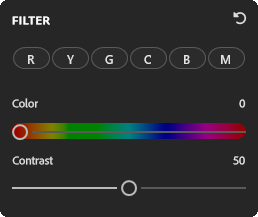
In a Black & White adjustment layer or a raw converter's B&W panel, individual channel sliders, Reds, Oranges, Yellows, Greens and so on, push each color toward a different gray value independently. Two colors that looked equally bright in the original can convert to nearly identical gray by default: a red barn against green grass, for instance, might collapse into the same flat tone unless you push one channel up and the other down. That per-channel control is where real subject-background separation actually comes from, not from the overall B&W conversion method itself.
Clarity adds the depth flat conversions are usually missing
Clarity, or local contrast, boosts midtone contrast specifically, and it reads as genuine depth and dimensionality in a black and white image especially, since B&W relies entirely on tonal separation for all its visual information with no color to fall back on. A moderate boost, roughly in the 25-50 range, is a commonly cited effective starting point. It's also easy to overdo: push it too far and the image starts reading as harsh and over-processed rather than dimensional.
Local dodge and burn for what's still flat after that
If a subject and its background still share near-identical luminance after channel mixing and a curve adjustment, that's a sign the remaining separation needs to be built by hand: targeted brush or radial adjustments to selectively darken or brighten one area relative to another, rather than expecting a global slider to solve it.
Quick answers to a few related questions
Should I fix white balance even if I already know I'm converting to black and white?
Yes, for the reason above: tonal separation in the RAW conversion is shaped by white balance regardless of whether the final image keeps any color at all.
Is Clarity the same as sharpening?
No. Clarity targets midtone contrast over a broader radius, a genuinely different mechanism from edge-detail sharpening. The two are commonly used together, not as substitutes for each other.
How much Clarity is too much?
It varies by image, but going well beyond a moderate boost risks a harsh, over-processed look rather than added depth. Watch for the point where it stops reading as dimension and starts reading as an obvious effect.